
resumd
a recent apps overlay for rooted android tv



---
## what it does
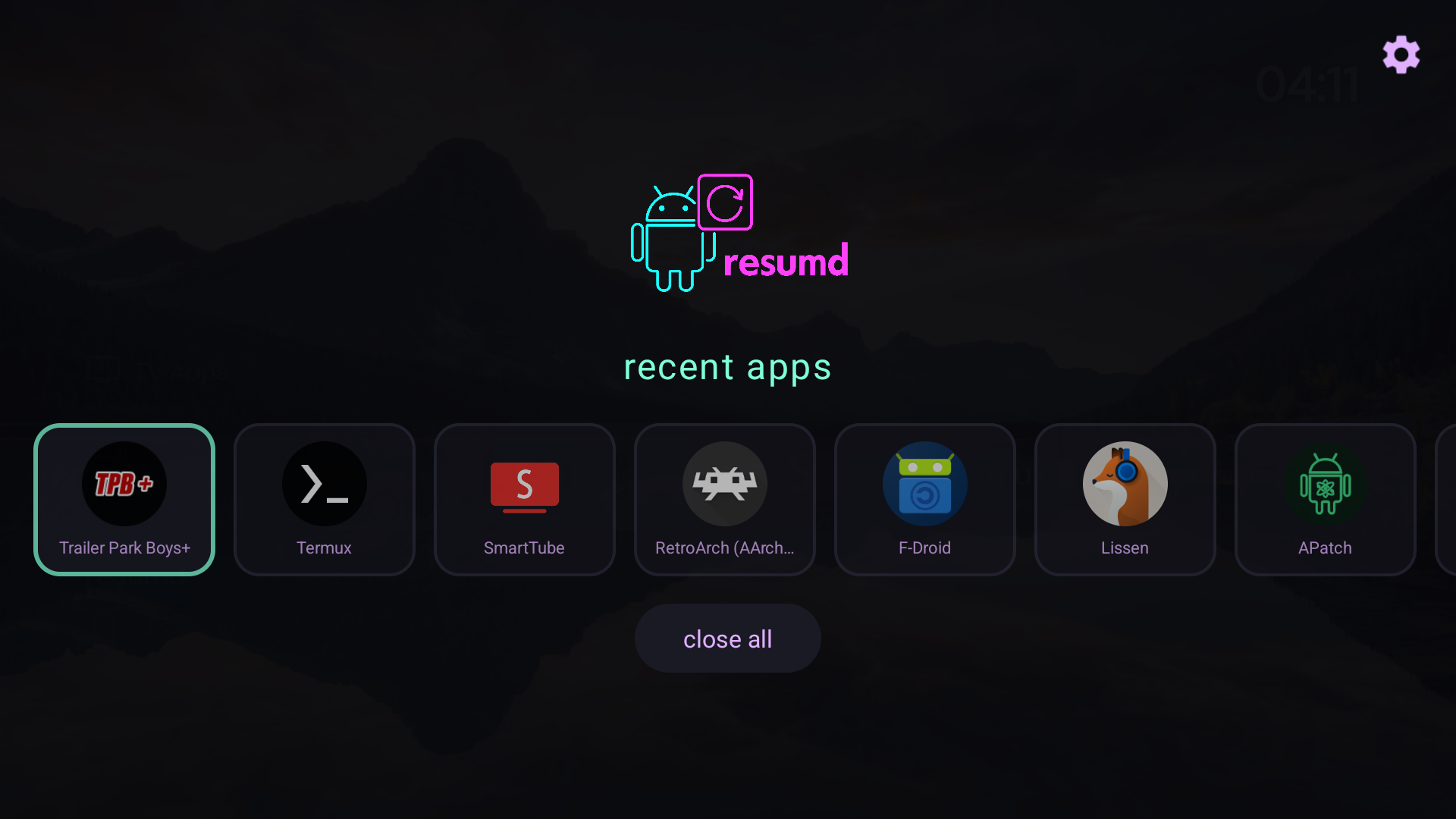
resumd gives you a clean, cyberpunk-styled recent apps menu on android tv. stock android tv removed the ability to see and manage recent apps from third-party launchers. resumd brings it back - with root.
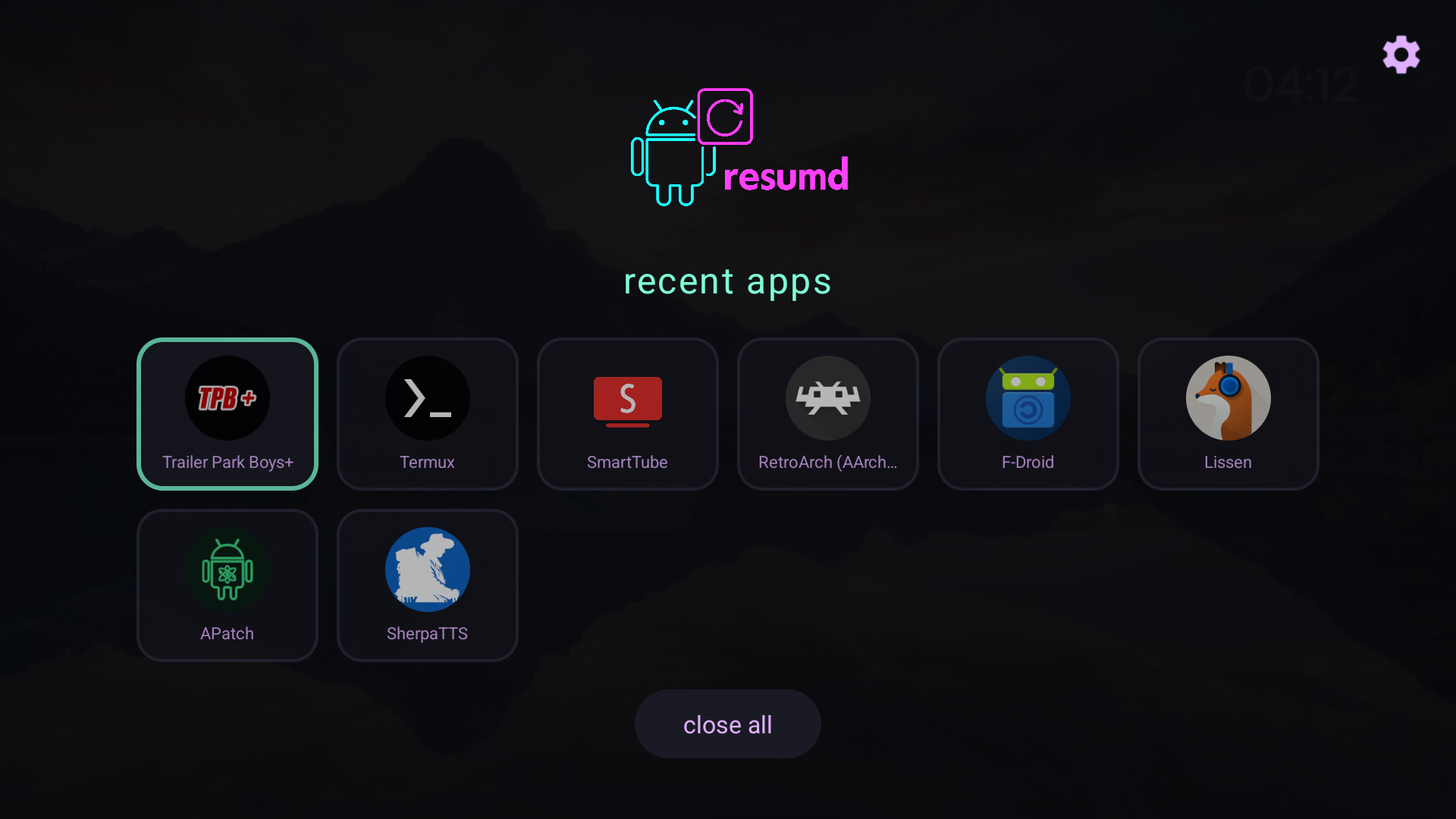
- **view recent apps** - see what's running in the background
- **quick switch** - tap to launch, hold for options
- **pin apps** - protect apps from "close all"
- **close apps** - force stop and remove from recents
- **close all** - nuke everything (except pinned)
- **grid or row mode** - your choice
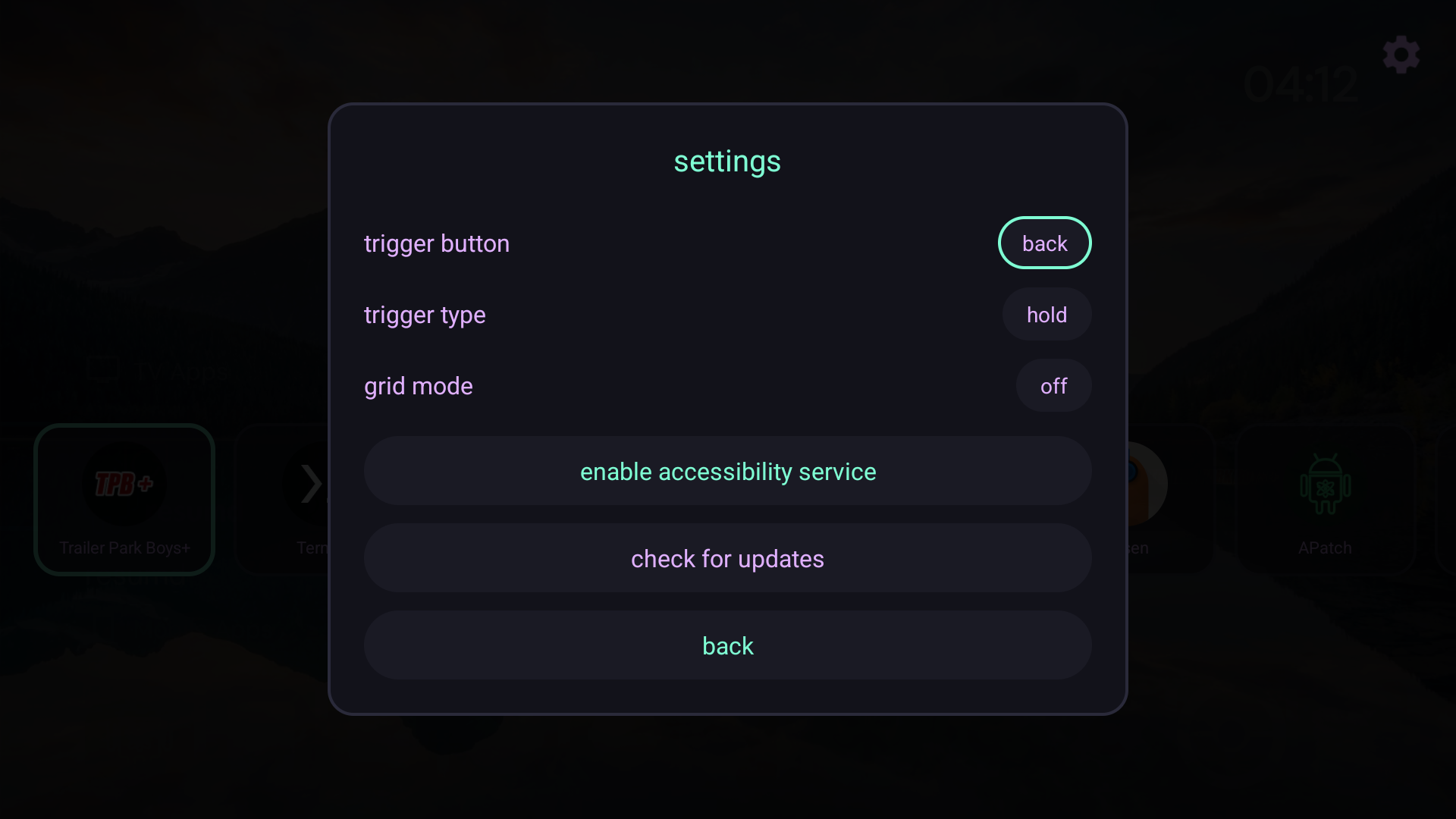
- **custom trigger** - hold back, double-tap menu, whatever you want
---
## requirements
- **rooted android tv** (magisk recommended)
- android 9+ (tested on android 15 / lineageos 22)
the app uses `su -c dumpsys activity recents` to read recent apps and `su -c am force-stop` to close them. without root, these commands are blocked.
---
## installation
### from f-droid (self-hosted)
add this repo to your f-droid client:
**repo url:** `https://sudoxnym.github.io/resumd-fdroid/`
1. open f-droid → settings → repositories
2. tap "+" to add repository
3. paste the url above
4. refresh and search for "resumd"
### official f-droid
*submission pending*
### manual install
1. download the latest apk from [releases](../../releases)
2. `adb install resumd.apk`
3. open resumd from your launcher
4. go to settings (gear icon, top right)
5. set your trigger button and type
6. click "enable accessibility service"
7. enable "resumd" in the accessibility settings
---
## usage
| action | result |
|--------|--------|
| **tap app** | launch it |
| **hold app** | pin/close menu |
| **down** | select "close all" |
| **up** | select settings cog |
| **trigger button** | open resumd from anywhere |
### trigger options
- **button**: any key on your remote (back, menu, tv, play, etc.)
- **type**: hold or double-tap
note: home button can't be used as a trigger - android intercepts it before apps can see it.
---
## rooting your shield
if you're on an nvidia shield tv 2019 pro and need root, check out the guide:
**[shield root walkthrough](docs/SHIELD-ROOT-WALKTHROUGH.md)**
covers unlocking bootloader, flashing lineageos + microg, and installing magisk. the two-step magisk process is the key - twrp flash first, then direct install from the app.
---
## building
```bash
git clone https://github.com/sudoxnym/resumd.git
cd resumd
./gradlew assembleDebug
```
apk will be at `app/build/outputs/apk/debug/app-debug.apk`
---
## colors
resumd uses a cyberpunk palette:
| color | hex | use |
|-------|-----|-----|
|  seafoam | `#7fffd4` | accent, titles |
|
seafoam | `#7fffd4` | accent, titles |
|  lavender | `#e0b0ff` | secondary text |
|
lavender | `#e0b0ff` | secondary text |
|  magenta | `#ff6b9d` | logo, highlights |
|
magenta | `#ff6b9d` | logo, highlights |
|  void | `#0a0a0f` | background |
---
## license
GPL-3.0 - do whatever, keep it open.
---
void | `#0a0a0f` | background |
---
## license
GPL-3.0 - do whatever, keep it open.
---
made by [sudoxnym](https://sudoxreboot.com) ⚡