| custom_components/roomba_rest980 | ||
| img | ||
| docker-compose.yaml | ||
| hacs.json | ||
| README.md | ||

roomba_rest980
Drop-in native integration/replacement for jerrywillans/ha-rest980-roomba.
Still work in progress, but the vacuum entity has been fully ported over.
Roadmap
- Feature parity (minus actions) with vacuum entity
- Cloud API connection
- Cloud MQTT connection
- Actions
- Dynamically grab rooms and add them to the UI
- Grab room data (optional, cloud only)
- Create map image
Why?
I found that working with jeremywillans' implementation was nice and almost effortless, but I'd prefer to not have a YAML configuration and work with it by a more native integration that adds entities and isn't bound to making a lot of helpers per room.
Setup
Prerequisites / Recommendations
- HACS
- rest980
- If you don't have it yet, don't worry; this guide will show you how to add it.
- Rooms mapped/setup in iRobot app
- Note that everytime you remap and a room changes, it's ID may change!
- Knowledge of your Roomba's IP
I recommend that you use the lovelace-roomba-vacuum-card until I remake it for this integration.
Step 1: Setting up rest980: Grab Robot Credentials
If you already have it setup, and you know its url (like http://localhost:3000), you may skip this step.
First, you must gather your robot's on-device password and BLID (identifier).
NOTE: You cannot have the iRobot app running on your phone, or anything else connected to it during this step!
For Docker users
Execute this command: ```sh docker run -it node sh -c "npm install -g dorita980 && get-roomba-password " ``` and follow the on-screen instructions.HA Addon by jeremywillans
Add https://github.com/jeremywillans/hass-addons to the Addons tab.
Locate and install the roombapw addon, following the included instructions.
Other HA installation method
If you dont have direct access to Docker, you can clone and install the dorita980 package locally.
See dorita980's instructions on how to get the credentials.
Setting up rest980: Bringing The Server Up
Now that you have your robot's IP, BLID, and password, we need to actually start rest980.
For Docker users (docker-compose)
Download the docker-compose.yaml file, and bring the service up.
To bring the service up (just rest980) and leave it in the background, run
docker-compose up -d rest980
You may also add the service to an existing configuration. You do not need to add file binds/mounts, as there are not any.
HA Addon by jeremywillans
If you haven't, add https://github.com/jeremywillans/hass-addons to the Addons tab.
Locate and install the rest980 addon, then update and save the configuration options with the credentials you got from the previous step.
NOTE: Rest980 Firmware option 2 implies v2+ (inclusive of 3.x)
Other HA installation method
Clone and start the rest980 server by koalazak, and note your computer's IP and port.
Step 2: Setting up the Integration
rest980 will gather all the data about our robot, but the integration will format it perfectly, creating entities and a vacuum device.
For HACS users
Add this custom repository, https://github.com/ia74/roomba_rest980 to HACS as an Integration. Search for the addon ("iRobot Roomba (rest980)") and install it!Manual installation
Clone this repository, https://github.com/ia74/roomba_rest980 , and add the custom component folder (`roomba_rest980`) to your Home Assistant's `config/custom_components` folder.When you install the integration and restart Home Assistant, you will notice it picking up your Roomba.
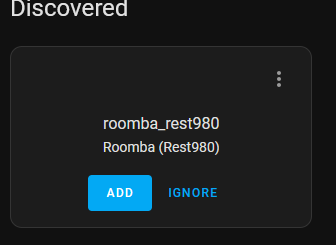
This is not due to your rest980 API server being discovered, rather the integration finding your Roomba on the local network.
If you do not see this, that is okay; it only means HA was able to fully detect a roomba through it's network identifiers.
Step 3: Adding your Roomba!
If you see the autodiscovered integration, press "Add"!
You'll be presented with this popup. It will be styled much better later, but this works well enough for now.
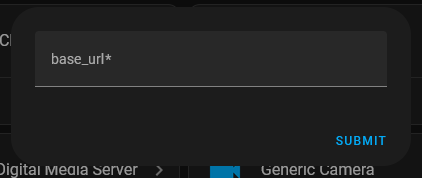
Input your rest980 server's url like so:
http://localhost:3000
and don't leave any trailing /s.
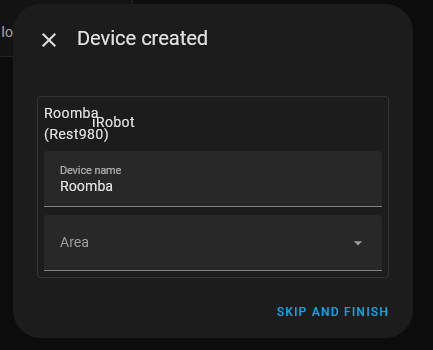
If you did it right, you'll see a success screen!
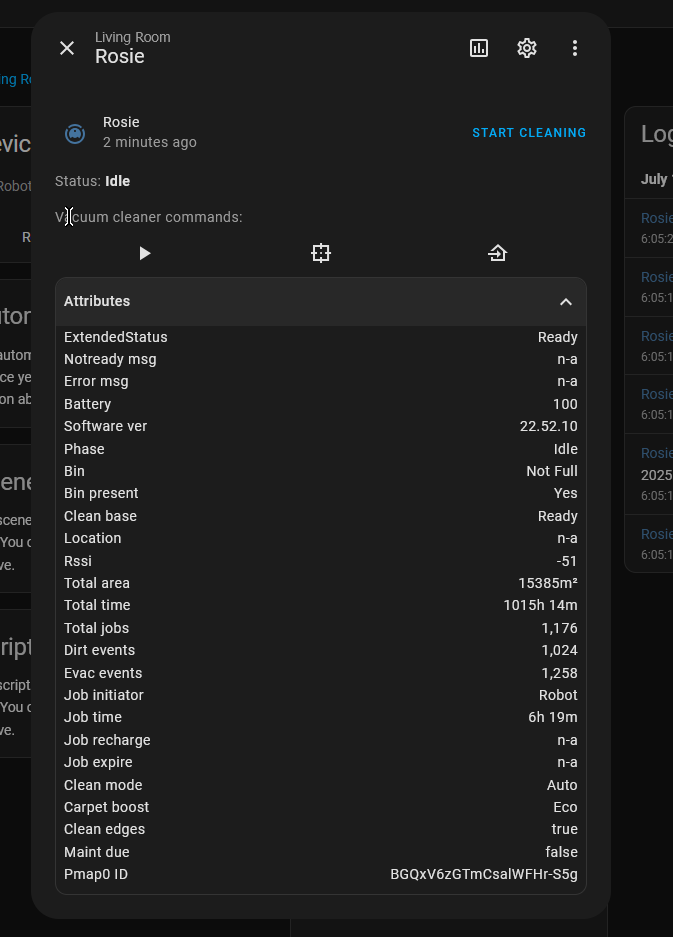
If all has gone right, checking the device will show something like this:
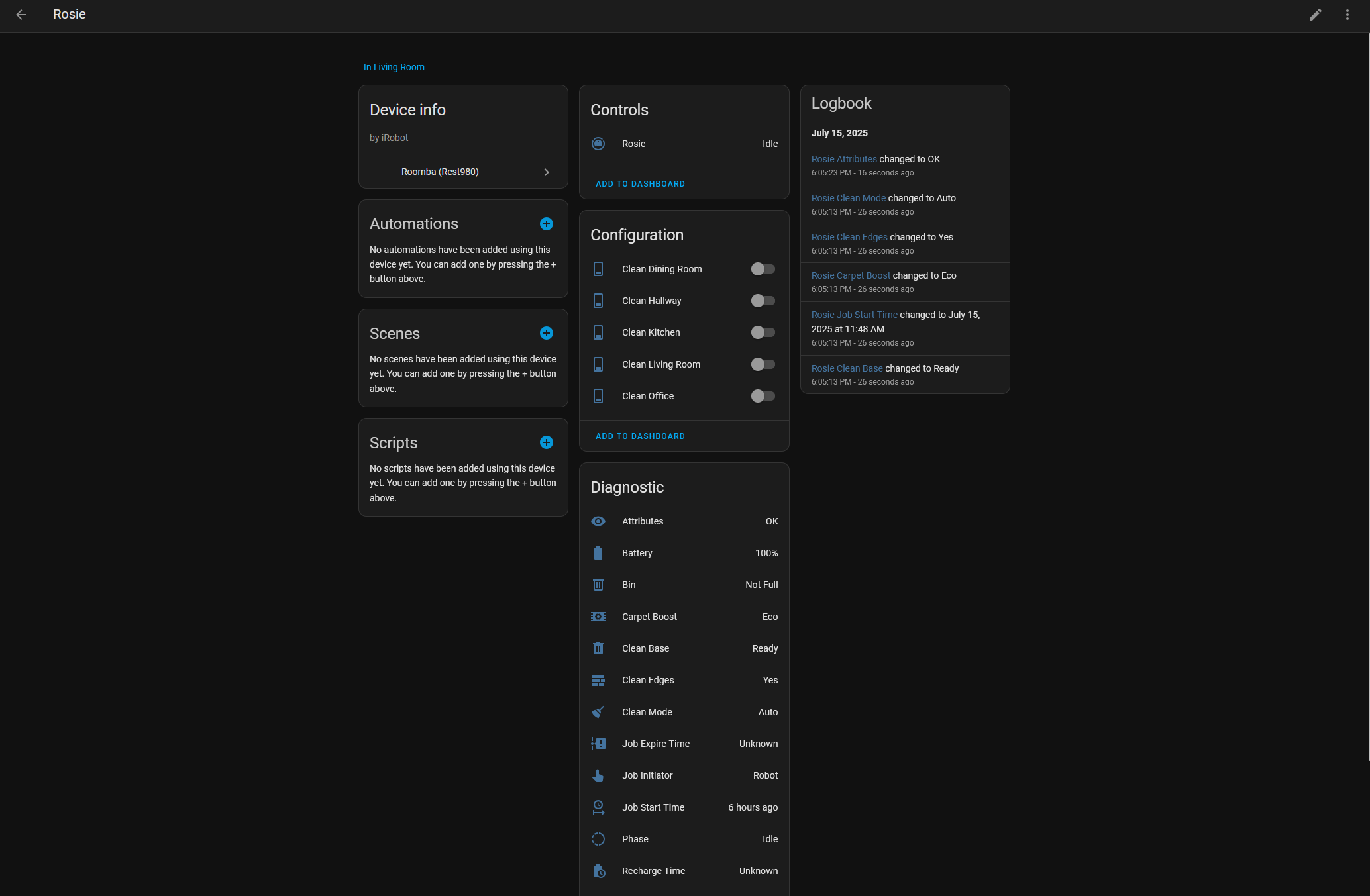
But those aren't your rooms....
Step 4: Rooms!
TO BE CONTINUED... Rooms are not given to us easily, but a fix is in progress for that.
Step 5: Robot Maintenance / Done!
Unfortunately, this is not implemented yet, alongside any other action.
This integration will eventually support the maintenance function of the Roomba, but still is not implemented
Cleaning a room using the Roomba from HA
Unfortunately, this is not implemented yet, alongside any other action.
In any configuration you'd like, you may lay the switches on the dashboard and switch them in the order you want them cleaned. After that, press Start on the native Vacuum!
Note:
Unfortunately, this is about where my current progress ends. We gather all the possible data and display it. I will be working on this integration however and eventually these features will be fully supported.
Backwards Compatibility
Minus the actions (currently!), the integration adds all the attributes that you would expect from jeremywillans implementation, even adding an extendedState attribute that gives you "Ready", "Training", "Spot", etc. since HA doesnt do that natively for some odd reason.